How to tell inbound trailers from outbound trailers in a supplier's yard
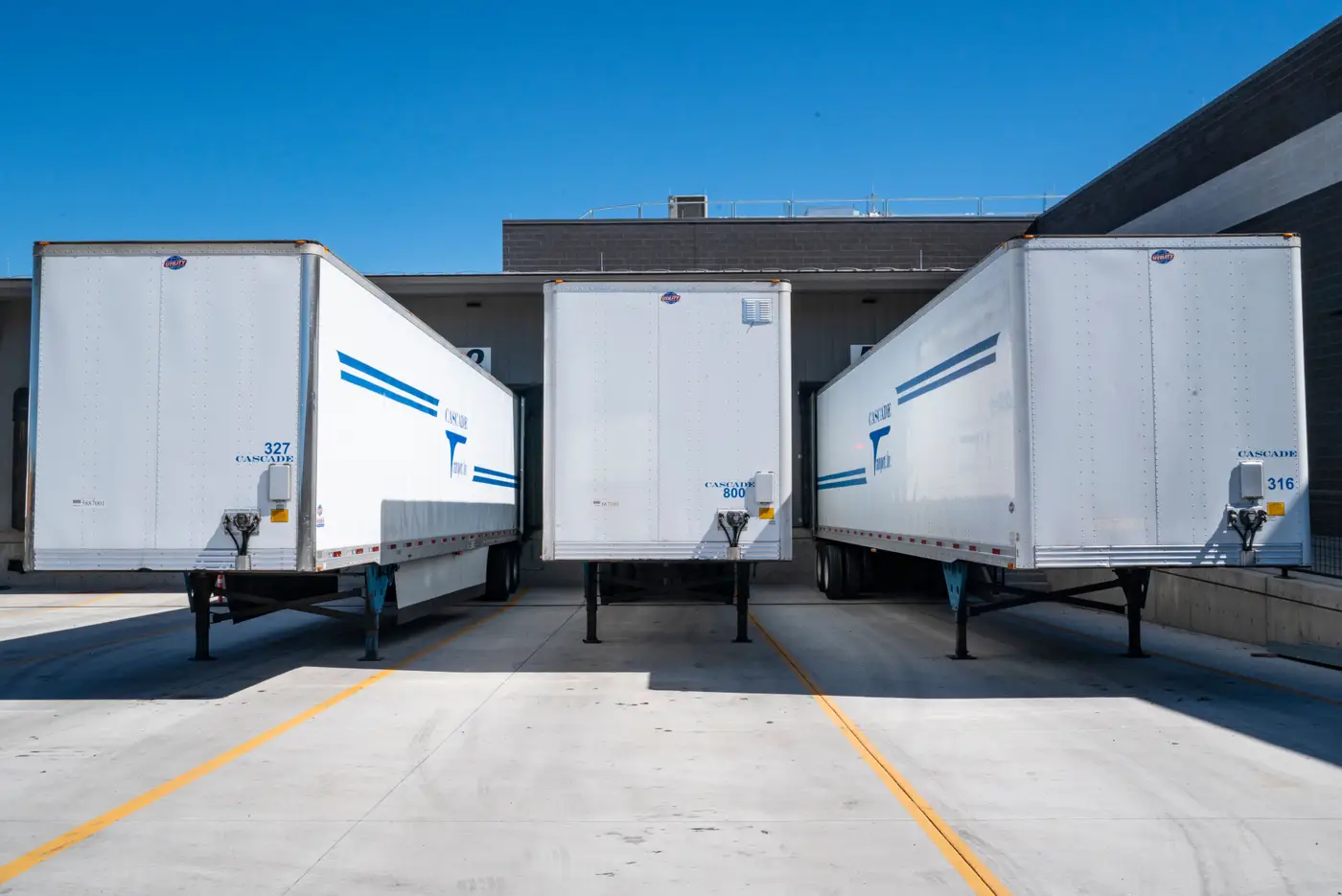
If you've ever pulled up a satellite or drone shot of a supplier's yard and tried to figure out what's happening down there, you've probably hit the same wall: trailers all look like rectangles. Fifteen of them lined up against the building tell you nothing on their own. What matters is how many are backed into dock doors doing something, versus how many are just sitting.
Here's what a procurement analyst looking at yard imagery for the first time usually gets wrong: they count trailers and call it a day. The raw count only tells you how much iron is sitting in the yard. The inbound-outbound split tells you what the plant is doing with it.
Orientation and position are your first clue
Inbound trailers, the ones bringing raw material or components in, tend to cluster near receiving doors, often on a different side of the building than shipping. Outbound trailers, loaded with finished product heading to a customer, sit at shipping doors or stage in a marshalling lane closer to the yard exit.
Look at how a trailer sits relative to the building:
- Nose-in, backed tight against a dock door with no tractor attached: that trailer is probably in active use, either loading or unloading right now.
- Parked nose-out in open yard, away from any door, tractor still hooked up: that's staging. Could be inbound waiting its turn, could be outbound already loaded and waiting on a driver.
- Landing gear down with no tractor in sight for multiple days running: that's a drop trailer, and drop trailers skew the count if you're not careful. A yard with forty parked trailers and six tractors isn't forty active movements. It's six.
Door position helps too. A bay door that's up, with a trailer backed against it, usually means something is moving through that door right now. A row of closed doors with trailers parked loose in front tells you the yard is quieter than the headline count suggests.
Loaded vs empty: read the trailer, not just the spot
From directly overhead, a loaded trailer and an empty one look like the same rectangle. The tell is in three details: ride height, tarps, and reefer activity.
A loaded trailer rides lower. The suspension sags, and on a clear image you can sometimes pick up a shadow difference under the frame compared to an empty unit nearby. Reefers running under load also tend to show a consistent engine/unit presence, since nobody runs a reefer compressor on an empty box for days.
Tarped flatbeds are the easier read: a tarp means cargo, full stop. A bare flatbed deck is either empty or waiting to be loaded.
Time matters more than any single image. A trailer that's been sitting in the exact same spot for six days is a parked asset, not a live movement. One that shows up Monday, moves to a dock door Tuesday, and is gone by Thursday was doing real work. Pull two or three dates across a week and the inbound-outbound pattern starts to separate itself from the noise of trailers that just live there.
Why the split matters
None of this is an academic exercise. If you're trying to work out whether a single-source supplier is running flat out or coasting, raw trailer counts lie to you in both directions. A yard stuffed with parked drop trailers can look busy and be doing almost nothing. A yard with only a handful of trailers but constant dock-door turnover can be running three shifts.
The inbound side tells you whether the plant has material coming in to run. The outbound side tells you whether finished product is leaving. A plant with inbound trailers but no outbound movement for two weeks running is a different story than one moving freight on both sides every day, even if the total trailer count looks the same on paper.
Doing this read by hand, week after week, across every dock door and parking row at a site you've never walked, is slow, and it's easy to get wrong when you're staring at one snapshot instead of a pattern over time. Supplier Utilisation does that read for a named site every week, turning dock and yard activity into a plant status and the trailer and parking counts behind it, so you're not reverse-engineering a supplier's workload from a single picture.
If you've got a single-source supplier whose yard you'd like read like this, that's exactly the use case Supplier Utilisation is built for.